

Deploy, configure and maintain AWX on Ubuntu 18.04

Hi,
Below are the operations we use to deploy, configure and maintain the many AWX instances we manage. These operations have been validated on Ubuntu 18.04 LTS.
You will find how to
Install the prerequisites
Install AWX
Configure AWX and launch it
Activate SSL with your custom Certificate
Upgrade to a new version
Install prerequisites
Package installation
Package installation So let's start with the installation of required packages
apt-add-repository ppa:ansible/ansible
apt-get update
sudo apt-get install \
    apt-transport-https \
    ca-certificates \
    curl \
    gnupg-agent \
    software-properties-common \
    git \
    ansible \
    python3-pip \
    nodejs  \
    npm
pip3 install docker
pip3 install docker-compose
npm install npm --global
Docker installation
We will need docker to run the AWX containers
curl -fsSL https://download.docker.com/linux/ubuntu/gpg | sudo apt-key add -
sudo add-apt-repository \
   "deb [arch=amd64] https://download.docker.com/linux/ubuntu \
   $(lsb_release -cs) \
   stable"
sudo apt-get update
sudo apt-get install docker-ce docker-ce-cli containerd.io
systemctl enable docker
Deploy AWX
Clone the project repo
Clone projet AWX
git clone https://github.com/ansible/awx.git /opt/awx/
Configure the inventory file
Edit the default inventory file (make a copy of the original before ;-) )
vi /opt/awx/installer/inventory
Below you will find an example of a valid configuration file. Pay attention to replace "w.x.y.z" in awx_alternate_dns_servers with you local or company DNS servers if needed. Also edit awx_container_search_domains with your local or company domains if needed. This is typically used by awx when targeting inventory items with FQDN or short name.
localhost ansible_connection=local ansible_python_interpreter="/usr/bin/env python3"
[all:vars]
dockerhub_base=ansible
dockerhub_version=latest
awx_task_hostname=awx
awx_web_hostname=awxweb
postgres_data_dir="/var/lib/awx/postgres"
host_port=80
docker_compose_dir="/var/lib/awx"
pg_username=awx
pg_password=awxpass
pg_database=awx
pg_port=5432
admin_user=admin
admin_password=password
create_preload_data=True
secret_key=awxsecret
awx_alternate_dns_servers="1.1.1.1,2.2.2.2,127.0.0.1,w.x.y.z"
awx_container_search_domains=mydomain.local,mydomain.ch
project_data_dir=/var/lib/awx/projects
Run AWX
ansible-playbook -i /opt/awx/installer/inventory /opt/awx/installer/install.yml
Access AWX
Use the admin_user and admin_password from your inventory file to login
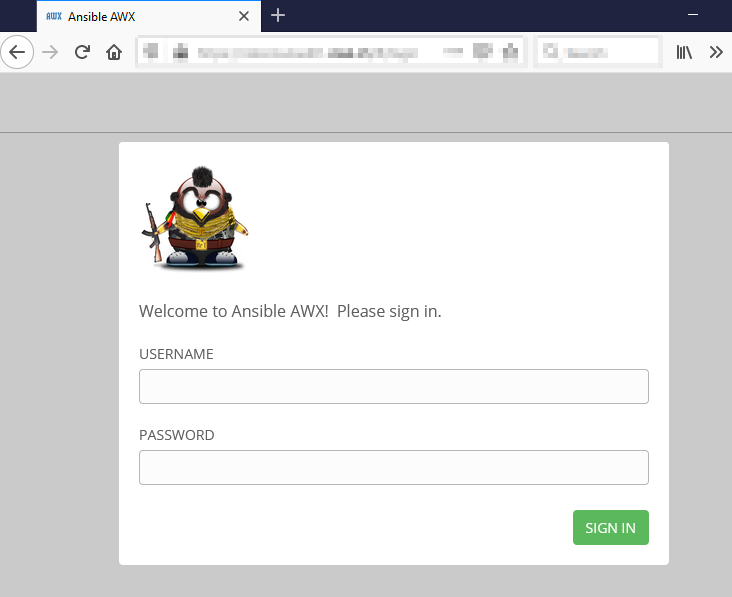
Customize
Activate SSL
If you do not already have a valid certificate for your domain you can first generate a self signed certificate. We need a pem certificate that contains the certificate and the private key inside. We will install the self signed or official certificate the same way.
openssl req -newkey rsa:2048 -new -nodes -x509 -days 3650 -keyout key.pem -out cert.pem
cat key.pem >> cert.pem
Edit the inventory file
vi /opt/awx/installer/inventory
Add the ssl_certificate and host_port_ssl settings
localhost ansible_connection=local ansible_python_interpreter="/usr/bin/env python3"
[all:vars]
dockerhub_base=ansible
dockerhub_version=latest
awx_task_hostname=awx
awx_web_hostname=awxweb
postgres_data_dir="/var/lib/awx/postgres"
host_port=80
host_port_ssl=443
ssl_certificate="/opt/awx/installer/cert.pem"
docker_compose_dir="/var/lib/awx"
pg_username=awx
pg_password=awxpass
pg_database=awx
pg_port=5432
admin_user=admin
admin_password=password
create_preload_data=True
secret_key=awxsecret
awx_alternate_dns_servers="1.1.1.1,2.2.2.2,127.0.0.1,w.x.y.z"
awx_container_search_domains=mydomain.local,mydomain.ch
project_data_dir=/var/lib/awx/projects
Run AWX
ansible-playbook -i /opt/awx/installer/inventory /opt/awx/installer/install.yml
Upgrade AWX
Below you can find the operation used to upgrade from AWX 13.0 to 15.0.1
First of all, snapshot or backup you VM ;-)
cd /opt/
wget https://github.com/ansible/awx/archive/15.0.1.tar.gz
tar -xvf awx-15.0.1.tar.gz
docker stop $(docker ps -q -a)
docker rm $(docker ps -q -a)
mv awx awx_13.0
mv awx-15.0.1 awx
mv /opt/awx/installer/inventory /opt/awx/installer/inventory_orig
cp /opt/awx_13.0/installer/inventory /opt/awx/installer/inventory
cp /opt/awx_13.0/installer/cert.pem /opt/awx/installer/
cd /opt/awx/installer/
ansible-playbook -i inventory install.yml
Change Docker subnet
Sometimes you will need to change the default subnet used by the Docker daemon. Docker uses the default 172.17. 0.0/16 subnet for container networking. If this subnet is not available for docker in your environment (for example because your network already uses this subnet), you must configure Docker to use a different subnet.
docker stop $(docker ps -a -q)
docker rm $(docker ps -a -q)
docker network rm awx_default
docker network create --driver bridge --subnet '192.168.10.0/24' --gateway '192.168.10.1'  awx_default
Run AWX
ansible-playbook -i /opt/awx/installer/inventory /opt/awx/installer/install.yml
Feel free to ask questions in the comments below.
https://www.cisel.ch
Sources
https://github.com/ansible/awx
https://github.com/ansible/awx/blob/devel/INSTALL.md