
Install and configure Kasten on Kubernetes

Kasten K10 provides enterprise operations teams an easy-to-use, scalable, and secure system for backup/restore, disaster recovery, and mobility of Kubernetes applications.
The free edition license allows you to use the software on a cluster with at most 50 worker nodes for one month and then 10 nodes after the one month period.
In this article, we will describe a disaster recovery of a kubernetes cluster with Kasten.
Installation of Kasten
Installing Kasten on a Kubernetes Cluster is very easy. First of all, run the precheck command :
curl https://docs.kasten.io/tools/k10_primer.sh | bash
Then you can install it with the following commands on your kubernetes cluster :
helm repo add kasten https://charts.kasten.io --force-update
helm repo update kubectl create ns kasten-io
helm install k10 kasten/k10 --namespace=kasten-io --set auth.tokenAuth.enabled=true
You can now connect to Kasten with port-forward.
kubectl --namespace kasten-io port-forward service/gateway 8080:8000
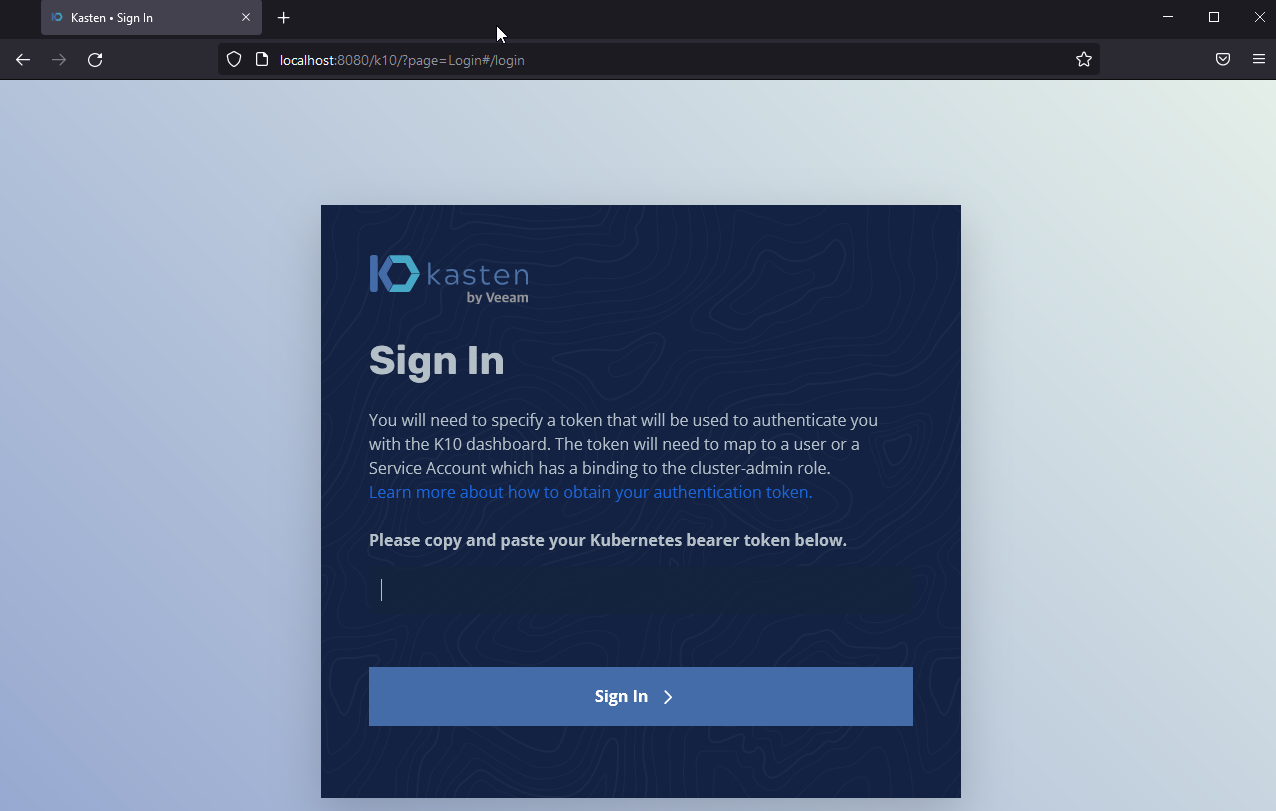
If you have installed Kasten with the parameter "auth.tokenAuth.enabled=true" you will need a token to connect. You could easily get this token with the following commands :
sa_secret=$(kubectl get serviceaccount k10-k10 -o jsonpath="{.secrets[0].name}" --namespace kasten-io)
kubectl get secret $sa_secret --namespace kasten-io -ojsonpath="{.data.token}{'\n'}" | base64 --decode
And Kasten should be available on the port 8080 : http://localhost:8080/k10/#/
Configure a location profile
First of all, on Kasten, you need to configure a Location Profiles to define credentials and locations to move data in and out of the cluster. You can choose between Google Cloud Storage, Amazon S3, Azure Storage or even NFS FileStore.
Backup your applications
To backup your applications you need to create a backup policy. This policy will take care of creating snapshots of your app and keep them with a retention time.
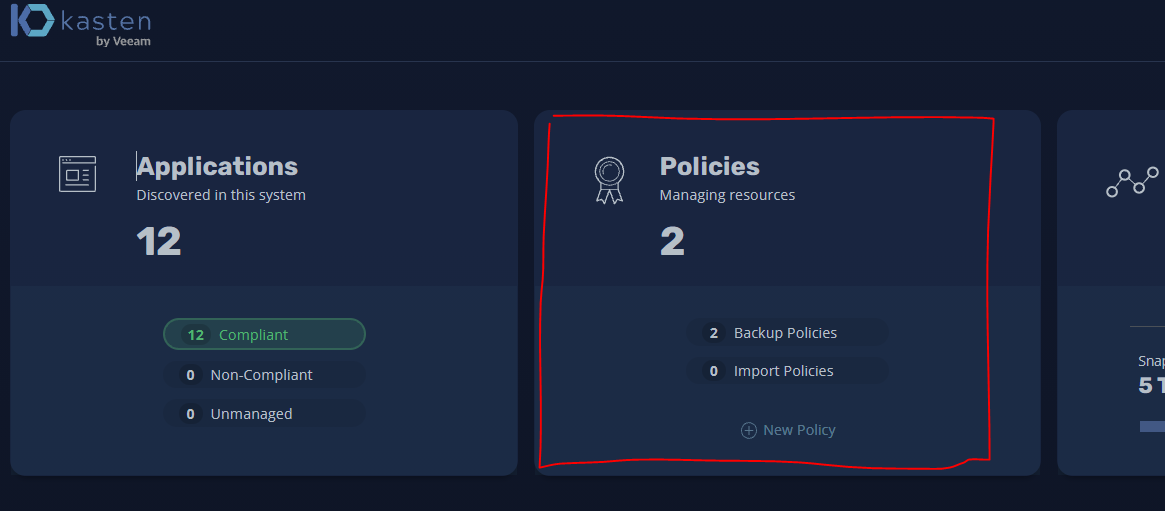
Go to th Dashboard and click on "Policy".
Then "Create new policy"
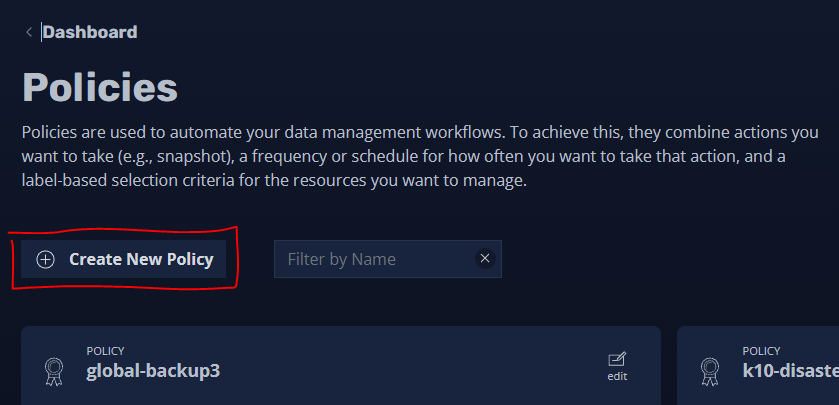
We will create a global backup policy that will backup every application on our culster. You will have to choose a name and select the "snaphot action". It is also possible to create an import policy but we will see that in another article.
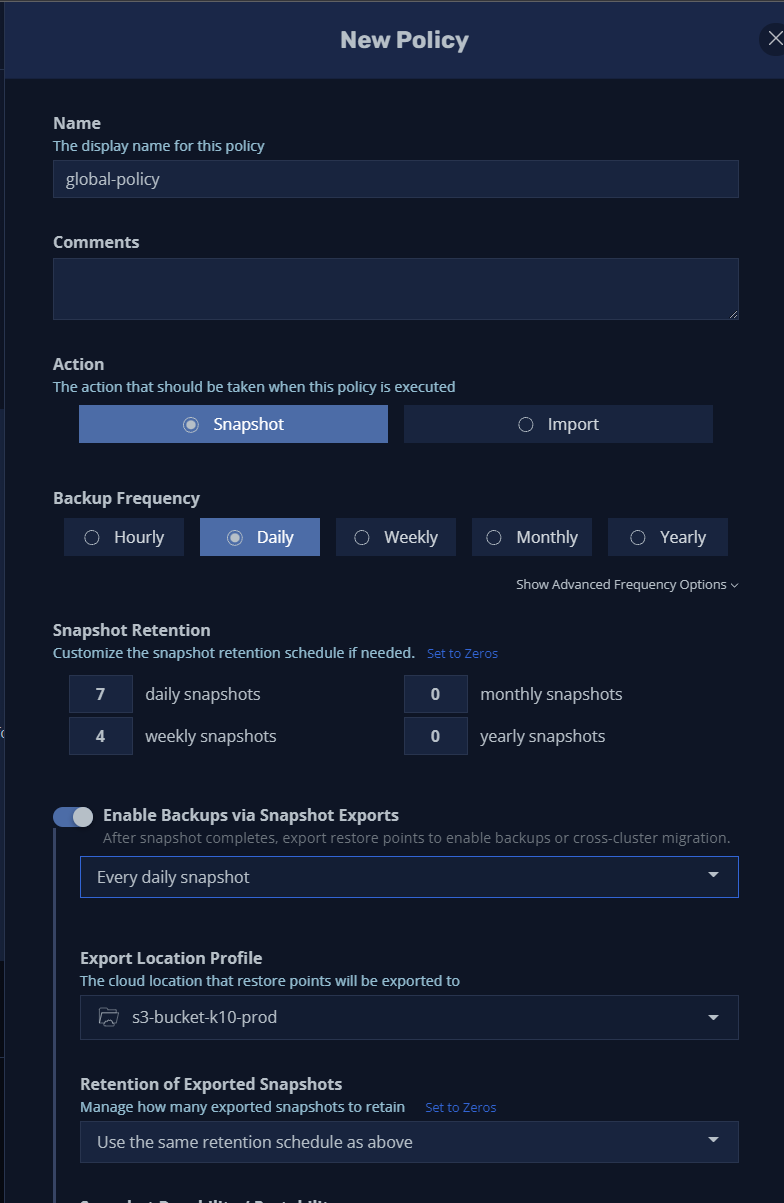
Backup frequency "Daily" Retention: 7 daily snapshots and 4 weekly It is important to enable the export of snapshot to an external storage like an S3 bucket or something similar. This will be useful if your whole kubernetes cluster crashes.
Then to make sure all your apps are backed up, you will need put put a stat (*) for the app selection by name. This way all the namespaces will match the policy. We also have to check the option "Snapshot Cluset-Scoped Ressouces". This will backup resources that are not included in namespaces, like CRD and RBACs.
Finally click on Create Policy
Enable K10 DR on a cluster
In case of a total failure of your Kubernetes Cluster, Kasten provide a way to recover your application and data. To enable the K10 DR on a cluster, you have to navigate on the Settings menu > K10 Disaster Recover > Enable K10 DR. Once it done, save the cluster ID and the passphrase, you will need it if you have to face a disaster recovery.
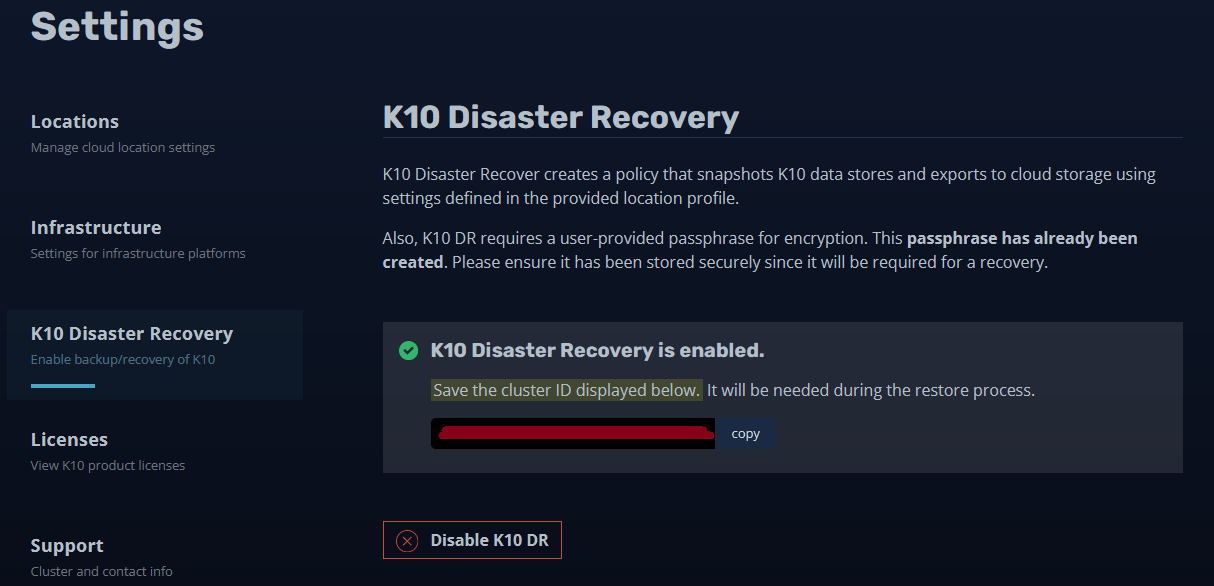
When DR is enabled a new backup policy is automatically created and will backup and export all the configuration of Kasten K10. We will explain the Recovery in another article.
Feel free to comment this article if you have questions.
www.cisel.ch
References https://docs.kasten.io/latest/index.html